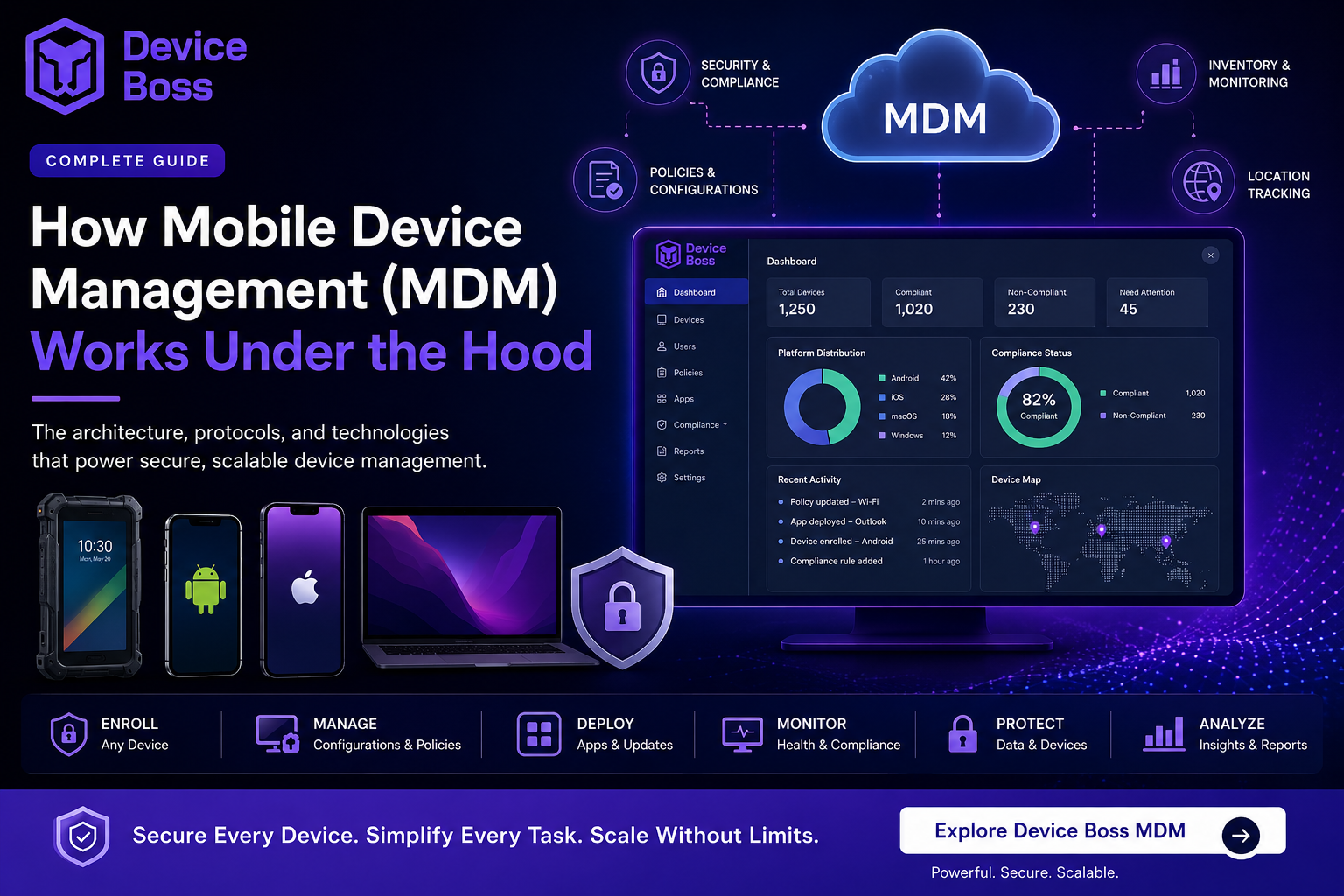
How Mobile Device Management (MDM) Works Under the Hood: The Complete Guide for Android, Apple (iPhone, iPad, macOS) and Enterprise Devices
In today's hybrid workforce, organizations manage hundreds or even thousands of smartphones, tablets, laptops, and rugged devices across multiple locations. But have you ever wondered how Mobile Device Management (MDM) actually works behind the scenes?
Whether you're managing Android Enterprise devices, Apple iPhones, iPads, macOS Macs, or a mixed-device environment, understanding the MDM architecture helps IT teams deploy devices faster, troubleshoot enrollment issues, strengthen security, and scale operations effortlessly.
What is Mobile Device Management (MDM)?
Mobile Device Management (MDM) is an enterprise security solution that enables organizations to remotely enroll, configure, secure, monitor, update, and manage mobile devices from a centralized cloud dashboard.
A modern MDM platform helps organizations:
● Secure Android and Apple devices
● Deploy corporate applications remotely
● Enforce security policies
● Prevent data leakage
● Monitor compliance
● Track company-owned devices
● Support BYOD and COPE deployments
● Automate IT operations
Whether your workforce operates in manufacturing, healthcare, logistics, education, retail, banking, or government, an enterprise-grade MDM ensures every endpoint remains secure and compliant.
How Mobile Device Management Actually Works Behind the Scenes
Although an MDM dashboard looks simple, multiple technologies work together in the background to securely manage every enrolled device. Let's break down each component.
1. Device Enrollment and Digital Identity
Every managed device must first prove its identity.
During enrollment:
● Device connects to the MDM server
● User authenticates using enterprise credentials
● Device receives a unique digital certificate
● Secure trust is established
This certificate becomes the device's permanent identity during its lifecycle.
Android Enterprise Enrollment Methods
Device Boss MDM supports:
● Android Enterprise QR Enrollment
● Zero-Touch Enrollment
● NFC Enrollment
● Enrollment Token
● Work Profile (BYOD)
● Fully Managed Devices
● Dedicated/Kiosk Devices
Apple Device Enrollment
For Apple devices:
● Apple Business Manager (ABM)
● Automated Device Enrollment (ADE)
● Apple MDM Protocol
● User Enrollment
● Device Enrollment
Each device securely communicates using Apple's native MDM framework.
2. Secure Push Notification Architecture
One common misconception: MDM doesn't constantly monitor devices. Instead, devices wake up only when required.
When an administrator deploys:
● Security policy
● App installation
● Wi-Fi profile
● Password policy
● Remote lock
● Remote wipe
The MDM server sends a lightweight push notification. Each operating system uses its own secure notification infrastructure.
Apple Devices Uses: Apple Push Notification Service (APNs)
Android Devices Uses: Firebase Cloud Messaging (FCM)
After receiving the notification, the device securely checks in with the MDM server over HTTPS and downloads pending commands. This architecture minimizes battery usage while maintaining enterprise-grade security.
3. Policy Management and Configuration Profiles
Administrators don't manually write device commands. Instead, Device Boss MDM translates IT policies into operating system-specific formats.
Apple
Uses:
● Configuration Profiles
● Signed XML Payloads
Examples include:
● Wi-Fi
● VPN
● Restrictions
● Certificates
● Email Accounts
● Password Policies
Android Enterprise
Uses:
● Managed Configurations
● Device Owner Policies
● Work Profile Policies
Examples:
● Camera restrictions
● USB blocking
● Screen lock
● Password enforcement
● App permissions
Device Boss MDM automatically converts administrator settings into native Android and Apple management commands.
4. Enterprise App Deployment
MDM never installs application files directly. Instead, it tells the operating system which approved application should be installed.
For Android:
● Managed Google Play
● Private Enterprise Apps
For Apple:
● Apple Apps and Books
● Apple Business Manager
● Custom Enterprise Applications
Device Boss MDM can:
● Push apps silently
● Remove apps remotely
● Update applications automatically
● Configure app permissions
● Deploy app-specific settings
● Prevent unauthorized applications
This keeps devices standardized while reducing IT workload.
5. Inventory, Compliance and Device Health Monitoring
Every enrolled device regularly reports its status back to MDM.
Collected information may include:
● Device Model
● Android Version
● iOS Version
● macOS Version
● Installed Applications
● Battery Health
● Storage Usage
● IMEI Number
● Serial Number
● Device Ownership
● Security Status
● Encryption Status
● Compliance Status
● GPS Location (for authorized corporate devices)
If Device Boss detects:
● Rooted Android device
● Jailbroken iPhone
● Disabled encryption
● Outdated operating system
● Unauthorized applications
● Missing passcode
IT administrators can immediately:
● Send alerts
● Restrict corporate access
● Lock the device
● Wipe enterprise data
● Trigger automated remediation
● Enforce Conditional Access
This proactive security dramatically reduces enterprise risk.
6. Native MDM Protocol vs MDM Agent
Modern MDM solutions combine two management methods.
Native MDM Protocol
Uses operating system APIs provided by:
● Android Enterprise
● Apple MDM
● macOS MDM
Ideal for:
● Device enrollment
● Policy deployment
● Security controls
● Certificate management
MDM Agent
An optional lightweight application provides enhanced capabilities beyond native APIs. Device Boss MDM Agent enables features such as:
● Advanced inventory
● Real-time device actions
● Remote troubleshooting
● Kiosk Mode
● Patch management
● Remote commands
● Device diagnostics
● Rich reporting
● Asset tracking
Together, native MDM and the Device Boss agent deliver comprehensive enterprise mobility management.
Why Businesses Choose Device Boss MDM
Managing enterprise mobility manually is expensive, time-consuming, and risky. Device Boss MDM simplifies every stage of the device lifecycle.
Stronger Enterprise Security
Protect company data with:
● Device encryption enforcement
● Password policies
● Remote lock
● Remote wipe
● App restrictions
● USB control
● Camera control
● Clipboard protection
● Work Profile management
● Data Loss Prevention (DLP)
Reduced IT Workload
Automate:
● Device enrollment
● Policy deployment
● App installations
● Software updates
● Device provisioning
● Employee onboarding
● Offboarding
Your IT team spends less time on repetitive tasks and more time on strategic initiatives.
Seamless User Experience
Employees receive:
● Corporate apps automatically
● Wi-Fi settings instantly
● VPN profiles without manual configuration
● Email accounts pre-configured
● Automatic security updates
No complex setup. No lengthy IT calls.
Lower Operational Costs
Organizations save money by reducing:
● Device downtime
● Manual IT effort
● Security incidents
● Help desk tickets
● Device replacement costs
Automation delivers a measurable return on investment.
Complete Visibility
Monitor every managed endpoint from one centralized console.
Track:
● Device location
● Device health
● Security posture
● Compliance
● Asset inventory
● User activity
● Installed software
Real-time dashboards help IT teams respond faster to incidents.
Enterprise Data Protection
When devices are lost or employees leave, Device Boss MDM allows administrators to:
● Lock devices remotely
● Wipe corporate data
● Remove enterprise apps
● Revoke certificates
● Block unauthorized access instantly
Sensitive business information remains protected.
Built for Enterprise Scale
Whether you're managing 100 smartphones, 500 field devices, 5,000 retail tablets, or 50,000 enterprise endpoints, Device Boss MDM scales effortlessly with your organization.
Industries That Benefit from Device Boss MDM
Device Boss MDM is designed for organizations across:
● Manufacturing
● Logistics and Transportation
● Healthcare
● Government
● Banking and Financial Services
● Retail Chains
● Educational Institutions
● Hospitality
● Construction
● Automotive
● Telecom
● Field Service Operations
Whether devices are corporate-owned, rugged, shared, or BYOD, Device Boss provides centralized control and enterprise-grade security.
Ready to Simplify Enterprise Mobility?
Managing hundreds of Android phones, Apple iPhones, iPads, Macs, or rugged enterprise devices doesn't have to be complex. Device Boss MDM gives your IT team the visibility, automation, and security needed to protect every endpoint, without adding operational overhead.
Whether you're modernizing BYOD, deploying field devices, strengthening compliance, or scaling to thousands of endpoints, Device Boss MDM is built to grow with your business.

Start your Device Boss MDM journey today
Transform endpoint management with Device Boss MDM - secure every device, simplify every deployment, and empower your workforce.